Tide-Aware Anchor Alarm: The Feature Loopers Need
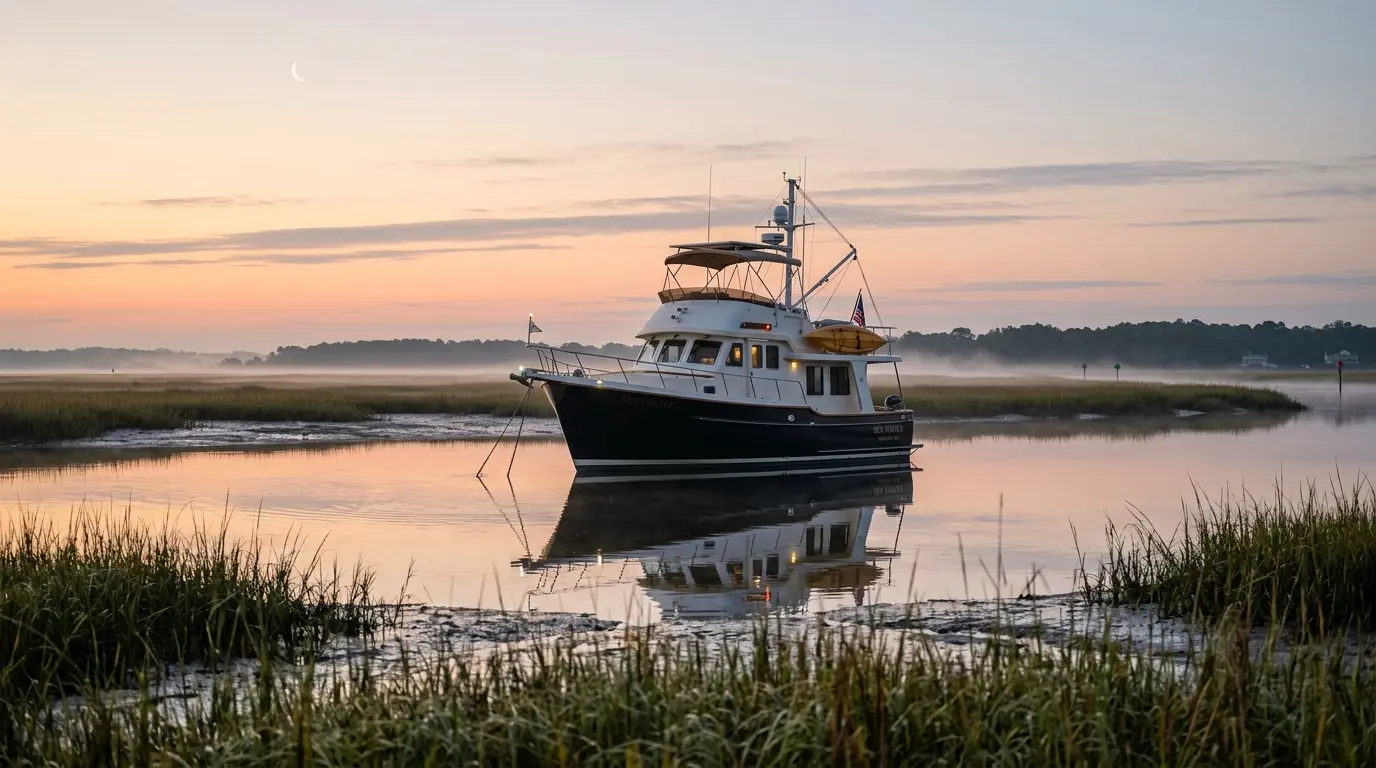
The 3 a.m. Anchor Alarm That Cried Wolf
It was a Tuesday on the Chesapeake. I was anchored in Back Creek off Solomons Island — easy spot, soft bottom, good holding, the kind of place you tuck into when you want a quiet night before the long run up the bay.
The alarm went off at 3:14 a.m.
I sat up in the V-berth with that little jolt of adrenaline every cruiser knows. Pulled on the headlamp, climbed up to the helm, opened the chartplotter app, stared at the position trail.
The boat had not moved.
Not really. We'd drifted maybe 40 feet from where we'd dropped the hook, but the trail showed a clean arc — the kind of swing you get when wind or current rotates the boat around a perfectly-set anchor. The anchor itself was right where I'd put it. The "drag" was just geometry.
I reset the alarm with a wider radius and tried to fall back asleep. It went off again at 4:50 a.m.
By the third time, I gave up and watched the sunrise come up over the marina with a cup of marina coffee, mildly resentful of a piece of software that had stolen my night.
If you've spent any meaningful time at anchor — and if you're doing the Great Loop, you absolutely will — you know this story. Maybe it was Block Island. Maybe it was anywhere on the AICW where the tide rolls 3 to 4 feet. The boat hasn't dragged. The alarm thinks it has. Welcome to the most annoying recurring bug in recreational boating.
I'm writing this because we just shipped a fix for it. And honestly, I'm a little surprised nobody else has.
Why Every Anchor Alarm App Falsely Alarms at Low Tide
Here's the part nobody bothers to explain. When you drop your hook in 20 feet of water and let out 100 feet of rode (a 5:1 scope, conservative but normal for an overnight), the boat does not sit directly above the anchor. It sits behind it, pulled by wind and current, on the end of a long underwater catenary that's part chain, part rope, part hope.
The horizontal distance from the anchor to your boat — your swing radius — is what an anchor alarm cares about. And it's not the length of your rode. It's the math of a right triangle:
       Boat (surface)
        |\
        | \
  Depth |  \  Rode (L)
   (D)  |   \
        |    \
        Anchor------ Swing radius (R) ------>
R = sqrt(L^2 - D^2)
That's it. One line of high-school trig. Rode squared minus depth squared, take the square root, that's your swing radius.
Now plug in real numbers. You dropped 100 feet of rode (L = 100) in 20 feet of water (D = 20):
- R = sqrt(10,000 - 400) = sqrt(9,600) = 97.98 feet
So you set your alarm at, let's say, 120 feet to give yourself some slop. You go to bed.
The tide drops 4 feet overnight. Now D = 16:
- R = sqrt(10,000 - 256) = sqrt(9,744) = 98.71 feet
That's only about 8 inches more swing room — fine in Chesapeake. But in Beaufort, NC, where the average daily range is 3.5 feet, and you're in a shallower anchorage at 12 feet of depth dropping to 8 at low tide:
- High tide R: sqrt(10,000 - 144) = 99.28 feet
- Low tide R: sqrt(10,000 - 64) = 99.68 feet
Still small in that example. But run the same math in Maine, where tides hit 9 to 12 feet, or in any anchorage where your scope ratio is high (which it often is in shallow protected water), and the swing radius can grow by 5 to 10 feet through the night without the anchor moving an inch.
That's enough to trip a tight alarm.
The Counterintuitive Part
Here's what every new cruiser gets wrong: the alarm fires at low tide, not high tide.
It feels backwards. Low tide = less water = boat should be more anchored, right? No. Less water means a smaller D in the formula. A smaller D means R grows. The boat physically swings farther from the anchor point at low tide, even though it's done nothing wrong.
I've watched Loopers argue about this on the AGLCA forum and in marina lounges from Joe Wheeler to Brewerton. Half of them set their alarms so wide that the alarm would only catch a catastrophic drag (which kind of defeats the point). The other half live with false alarms and have started ignoring them — which is worse, because the one night the anchor actually slips, they'll roll over and hit snooze.
There's a third option, and it took me longer than it should have to realize this: make the alarm understand tides.
What the Other Apps Do (An Honest Comparison)
Before we shipped this, I went through every anchor alarm app I could find. Here's the honest scorecard.
Aqua Map
Genuinely the best of the bunch for Loopers. The anchor alarm is solid, you can set it remotely from an iPad in the salon while your phone sits at the helm, and the integration with USACE depth surveys is unmatched on the rivers. But the alarm radius is fixed. It does not adjust for tide. Their own help docs tell you to set the radius wide enough to account for "tide swings" — which is just asking you to do the math in your head.
Navionics
Good charts, fine basic alarm. Owned by Garmin now. Same story: a fixed geofence drawn around your drop point. No tide awareness.
DragQueen
Popular with sailors because it's simple and the alarm is loud. That's about it. Cruisers describe it as "QUIET or LOUD" with no graphics and no tide logic. It does one thing well — wake you up — and assumes you set the radius correctly.
Savvy Navvy
Newer entrant, clean UI, basic anchor alarm. No tide adjustment.
Garmin Active Captain / Raymarine apps
Plotter-grade alarms that mirror what the MFD does at the helm. Same fixed-radius approach. Plotter-class systems don't even pretend to do tide-adjusted swing — that's been the domain of commercial NMEA 2000 vessel-monitoring systems.
Maretron N2KView
This is the one system that has done tide-aware anchor monitoring well. It runs on a wired NMEA 2000 backbone and a dedicated PC. The hardware-plus-software bill of materials is in the thousands of dollars, and it's overwhelmingly installed on bigger boats — the kind with a flybridge, a generator, and a full instrument fit. Loopers in a 38-foot trawler are not running N2KView.
So that's the gap. Commercial-grade vessel monitoring solves it. Phone apps don't. Until now.
How the YachtWyse Tide-Aware Anchor Alarm Works
The mechanics are simpler than they sound. Here's the whole loop:
- You drop the hook. Open YachtWyse, hit "Set Anchor." The app records your GPS position as the anchor point and asks how much rode you let out.
- The app looks up the nearest NOAA tide station. There are about 3,000 active NOAA tide stations covering every coast and major bay in the US, including a dense set on the AICW, the Chesapeake, and Florida. The app pulls the next 24 hours of tide predictions for your spot.
- It pulls current depth from your chart layer (or you can tap it in manually if you don't trust the chart in that anchorage).
- It calculates your swing radius across the full tide cycle — high tide R, low tide R, and every step in between.
- The alarm geofence updates every 5 minutes based on actual tide state at that time. As the tide falls, the alarm circle expands. As the tide rises, it contracts.
- You only get woken up if the boat moves outside the tide-adjusted circle. Real drag, not phantom geometry.
There's no extra hardware. It runs on the phone or tablet you already use for navigation. The tide data downloads when you set the alarm, so it keeps working offline — important when you're anchored somewhere with one bar of LTE and a flaky hotspot.
You can also see the predicted swing circle on a chart overlay before you commit, which is genuinely useful for choosing a spot. If the low-tide circle is going to put your stern over a shoal or into your neighbor's swing, you know that before you settle in for the night.
What the App Needs to Watch Your Boat
One thing worth being straight about before you set this up: the anchor watch — both the fixed-radius kind and the tide-aware kind — needs a continuous GPS signal to know where your boat is. No GPS feed, no alarm. The app can't detect drift without knowing where you are.
For most Loopers, this is not a constraint at all. Here's what works:
- Your phone or tablet's built-in GPS. The YachtWyse helm app running on an iPhone, Android phone, or iPad uses the device's own GPS receiver. Keep the screen on (or use a windshield mount with the app active in the foreground) and it tracks your position continuously. Most Loopers already have a phone at the helm or a tablet mounted near the nav station — this is your primary setup.
- A Garmin or Raymarine chartplotter on the NMEA 2000 backbone. If your boat has a working N2K network, a gateway device (Yacht Devices, Digital Yacht, or similar) can bridge your chartplotter's GPS to YachtWyse over your boat's WiFi. This gives you a wired feed that doesn't depend on the tablet staying awake.
- Victron VRM. Loopers with Victron battery monitoring and a GPS module on the Cerbo get a position feed through the VRM cloud integration. Less common on older Loop boats, more common on newer cruising trawlers.
If the GPS feed drops mid-session — screen timeout, phone dies, WiFi hiccup — the app displays a clear "GPS required — connect a feed" state rather than silently pretending to monitor. You'll know immediately that the watch is suspended.
The practical upshot: charge the phone, keep the app in the foreground, mount the tablet where it won't sleep, and the alarm works. For Loopers running a 38-foot trawler without a wired network, a charged iPad in a helm mount is the whole GPS solution.
Why This Matters Most on the Loop
The Great Loop is 6,000 miles of mostly inland and protected water, and a meaningful chunk of those nights are spent at anchor in tidal sections:
- Chesapeake Bay — 1 to 2 feet of range, but the shallow protected creeks (Back Creek, Mill Creek, the Wye) magnify the geometry effect.
- Florida and Georgia AICW — 1 to 4 feet of range, sometimes more in inlets, with overnight stops in narrow creeks where alarm precision actually matters because your swing might put you in a marsh.
- The Carolinas — Beaufort NC averages 3.5 feet daily. The Cape Fear, the Pungo, anywhere south of Norfolk you're dealing with real tide.
- Block Island, Newport, the Long Island Sound side — 2 to 4 feet, often with current that complicates swing patterns.
- Maine and the far Northeast — 9 to 12 feet if you're doing the optional Down East loop. The math really starts to bite here.
Loopers anchor more nights in unfamiliar shallow tidal water than almost any other cruising profile. A 6-month Loop run might mean 60 to 100 nights on the hook. Multiply that by however many times your alarm has falsely woken you up at 3 a.m., and the value of a tide-aware alarm becomes obvious.
We built this because we kept hearing the same story in every Looper lounge: "I just turned my alarm off. It was waking me up for nothing." That's a safety problem, not a software preference. The whole point of an anchor alarm is to catch real drag. If it's calibrated so loose it never fires falsely, it never fires at all. If it's calibrated tight, you stop trusting it. The only fix is making the alarm smart enough to know what's a tide and what's a drag.
What It Costs
The tide-aware anchor alarm is part of the YachtWyse helm and telemetry feature set, which is included on the Captain plan and above. The free Skipper plan includes the basic anchor alarm (fixed radius) so you can try the workflow before upgrading. There's no extra charge for the tide data — NOAA provides it free, we just pull it in for you.
If you're a Looper running on a budget, the math is straightforward: one false-alarm-induced bad night of sleep, multiplied by however many tide-affected anchorages you'll see this season, makes the upgrade pay for itself in coffee saved.
You can also use YachtWyse for the rest of what you need to track on a Loop: maintenance scheduling, expense tracking, fuel logs, AI diagnostics when something starts making a weird noise in the engine room, and integrated checklists for locks and pre-departure. The anchor alarm is one feature in a larger toolkit, not a single-purpose download.
Try It Before Your Next Overnight
You can set up a free vessel on YachtWyse in about 5 minutes — no credit card, no commitment, no "free trial that secretly enrolls you." Add your boat, set up an anchor profile with your typical rode and depth, and the next time you drop the hook somewhere tidal, the alarm will know what to do.
Start a free vessel at app.yachtwyse.com or explore the owner-operator features to see how the rest of the platform fits the way Loopers actually cruise.
Sleep through the tide. Wake up only when it matters.
Related Articles
- Best Apps for Great Loop Cruisers 2026 — the full app stack that survives 6,000 miles
- Great Loop Pre-Departure Checklist — voice-enabled checklists that actually work
- Great Loop Maintenance Schedule — the engine-hour milestones that matter
- Owner-Operator Features — how YachtWyse fits the recreational cruiser
- Digital Float Plans for Boat Owners — sharing your overnight plan automatically
Sources
- Trawler Forum: Anchor Drag Alarm thread
- Cruisers Forum: Anchor Alarm settings with tide changes
- Aqua Map: The Anchoring Process Before Setting the Anchor Alarm
- iNavX: Understanding Tides to Avoid Miscalculating Your Anchoring
- Loop Life Academy: How to Use an Anchor Alarm Without Losing Sleep
- Maretron N2KView User Manual
- NOAA Tides and Currents: Beaufort, NC Station
- Trimaran-san: Anchor Alarm Apps Overview
- My Great Loop Adventure: Top 10 Great Loop Anchorages

Written by
YachtWyse Team
Maritime Technology Experts
The YachtWyse team brings decades of combined experience in maritime operations, marine engineering, and software development. We write from real-world experience managing vessels from 30ft cruisers to 100m+ superyachts.
Ready to Simplify Your Yacht Management?
YachtWyse helps owner-operators track maintenance, manage costs, and get AI-powered diagnostic assistance. Start your free trial today.
Request a DemoRelated Articles
Why Your Anchor Alarm Lies to You at Low Tide
Every consumer anchor alarm app shares the same hidden flaw — it ignores the falling tide. Here's the geometry waking you up at 3am, and the fix that works.
Best Apps for Great Loop Cruisers 2026: The Complete Tech Stack That Actually Works
At a Looper rendezvous in Mackinaw City, we compared phones with 15 other cruisers. Everyone had different apps. Here's the essential app ecosystem that survived our entire 11-month Great Loop journey—navigation, weather, maintenance, community, and utilities.
Great Loop Maintenance Schedule: AI Diagnostics That Prevented Our Transmission Failure
I ignored a subtle vibration pattern for three days on the Tenn-Tom. AI diagnostic tracking caught what I missed and saved us from catastrophic transmission failure 40 miles from help. Here's the predictive maintenance system that works.