Yacht Expense Tracking: Spreadsheets vs Software
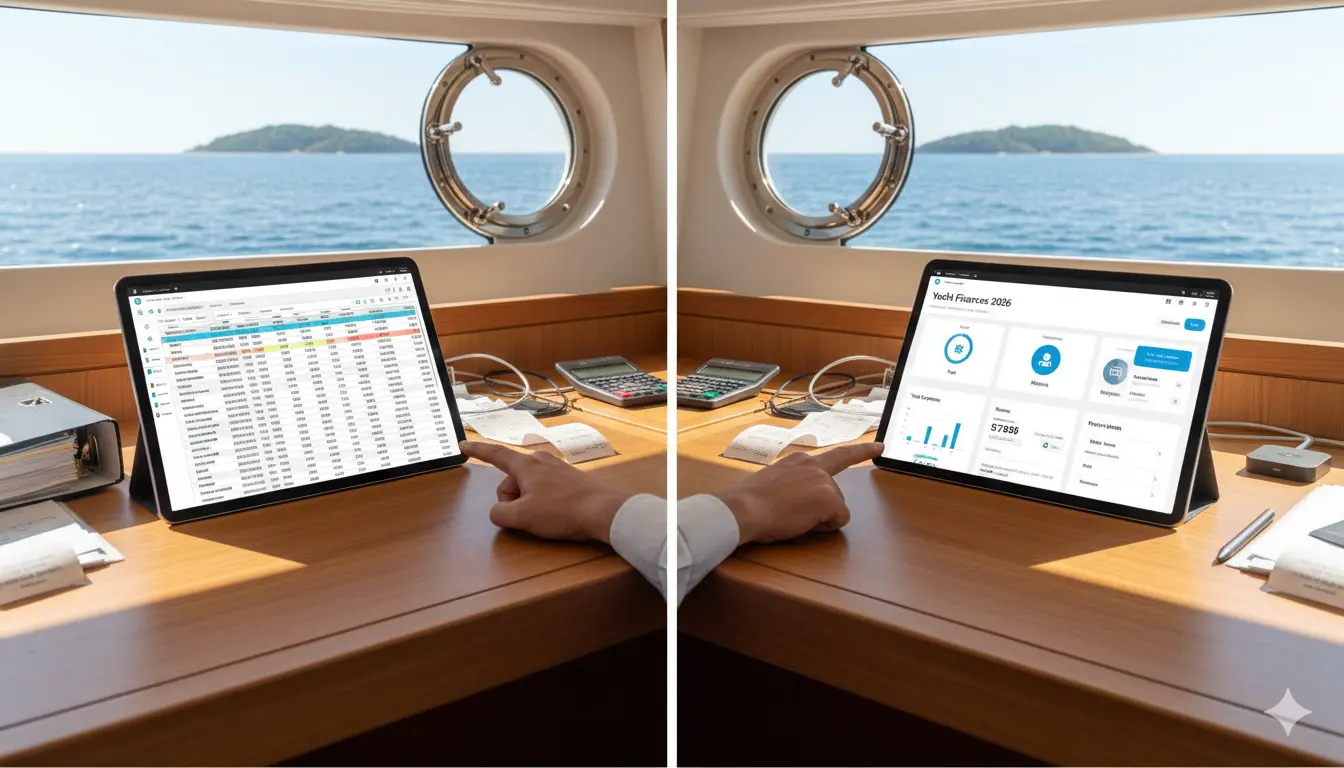
Quick Summary
- ✓Spreadsheets fail because mobile editing is painful, discipline is required, and you lose $3,000+ in tax deductions from gaps
- ✓YachtWyse's AI-powered OCR scans receipts and extracts vendor, amount, date in seconds—saving 2-3 hours monthly
- ✓Automatic categorization and duplicate detection prevent the mistakes that cost $3,800 in my first year
- ✓Mobile receipt capture is the killer feature—log expenses in 15 seconds at the fuel dock, not hours later from memory
- ✓Purpose-built software pays for itself if it prevents even one modest tax mistake or catches expense anomalies
The email from my CPA landed in my inbox on April 14th—the day before Tax Day. The subject line: "We have a problem with your marine deductions."
My stomach dropped. I'd spent hours preparing my yacht expense documentation—an elaborate Excel spreadsheet tracking every dollar I spent on my 42-foot Sea Ray. Fuel, maintenance, dockage, repairs, insurance—all meticulously categorized and color-coded. I was proud of that spreadsheet.
Then came the gut punch. My accountant had found inconsistencies in my records. Duplicate entries in some months. Missing receipts for claimed expenses. Service dates that didn't match the documented work. And worst of all, I'd completely missed logging several major charter-related expenses that would have been fully deductible.
The damage: approximately $3,000 in missed deductions, plus another $800 I had to write off because I couldn't find supporting documentation.
That $3,800 mistake taught me an expensive lesson: spreadsheets seem like a logical solution for tracking yacht expenses until they fail you at the worst possible moment.
Six months later, after testing every yacht expense tracking solution I could find—from free apps to premium software—I've learned exactly when spreadsheets make sense, when they don't, and which apps actually deliver value for owner-operators like us.
This is my complete, honest comparison of yacht expense tracking methods in 2026. I'll show you what I learned from my expensive mistake, so you don't have to repeat it.
Why Expense Tracking Matters More Than You Think
Before we dive into spreadsheets versus software, let me explain why accurate expense tracking is critical for yacht owners. It's not just about being organized—though that helps. There are real financial consequences.
Tax Deductions Can Save Thousands Annually
If you charter your yacht even occasionally, proper expense documentation can unlock significant tax deductions. According to my CPA, yacht owners who maintain meticulous records typically claim 15-30% more in legitimate deductions than those with spotty documentation.
For a yacht with $40,000 in annual operating costs and 50% business use, that's potentially $6,000-$12,000 in additional deductions. At a 30% tax rate, we're talking $1,800-$3,600 in actual tax savings.
But—and this is critical—those deductions require contemporaneous documentation. The IRS isn't interested in your reconstructed estimates months after the fact. They want receipts, dates, purposes, and proof.
Resale Value Depends on Documented Maintenance
When I sold my previous boat, a potential buyer offered $8,000 more than comparable boats specifically because I had complete, organized maintenance records. He could see exactly what work had been done, when, and by whom. That documentation gave him confidence the boat was well-maintained.
Boats without documentation history sell for 10-20% less than equivalent boats with complete records, according to yacht brokers I've talked to in Tampa Bay. For a $200,000 boat, that's a $20,000-$40,000 difference.
Budget Management Prevents Financial Surprises
I thought I spent about $3,000 per month on my yacht. My actual average? $3,847 per month. That $847 monthly difference adds up to over $10,000 annually—money that was mysteriously disappearing because I wasn't tracking properly. (For a complete breakdown of what yacht ownership actually costs, see our guide to yacht ownership costs in Florida for 2026.)
Once I started using proper expense tracking, I discovered:
- I was buying duplicate parts I already had ($600/year wasted)
- One service provider was overcharging by 20% compared to competitors
- Small recurring charges I'd forgotten about ($180/month for unused subscriptions)
- Fuel consumption was 15% higher than expected (prop fouling issue I caught early)
Accurate expense tracking revealed $2,400 in annual savings opportunities I'd been missing.
Audit Protection
If the IRS decides to audit your marine deductions, they want to see organized, detailed records—not crumpled receipts stuffed in a drawer or a spreadsheet you "reconstructed" after the fact.
Proper expense tracking software creates contemporaneous records with timestamps, GPS locations, and automatic categorization that satisfy IRS requirements. Spreadsheets can work, but only if you're disciplined about updating them immediately and maintaining supporting documentation.
My CPA put it bluntly: "I can defend a client with organized digital records. I can't defend a client with a messy spreadsheet and missing receipts."
The Spreadsheet Approach: When It Works and When It Fails
Let me start by saying: spreadsheets aren't inherently bad. I know successful yacht owners who use Excel effectively. But there's a specific profile of person for whom spreadsheets work well, and if you're not that person, you're setting yourself up for failure.
When Spreadsheets Actually Work Well
Profile: The Disciplined Desk Worker
Spreadsheets work if you are:
- Highly organized and detail-oriented by nature
- Comfortable with Excel or Google Sheets (formulas, pivot tables, data validation)
- Disciplined about updating records immediately after every expense
- Primarily working from a computer (not mobile)
- Managing a modest volume of transactions (under 100/year)
- Not concerned about multi-user access
- Willing to manually back up and version-control your files
I know one yacht owner at my marina who fits this profile perfectly. He's a retired accountant who genuinely enjoys building elaborate spreadsheets. He updates his expense log every Sunday morning as part of his weekly routine. His system works because it matches his personality and habits.
Advantages of Spreadsheets:
- Zero cost: Excel or Google Sheets are free or already owned
- Complete customization: Build exactly the structure you want
- No subscription fees: One-time setup, no ongoing costs
- Offline access: Excel files work without internet
- Data portability: Easy to export, share, or migrate data
- Familiar interface: Most people know basic spreadsheet operations
- Privacy: Your data lives on your computer, not a cloud server
My Spreadsheet System (Before It Failed Me):
I built what I thought was a comprehensive tracking system:
- Expense Log tab: Date, vendor, category, amount, payment method, notes
- Monthly Summary tab: Automatic totals by category using SUMIF formulas
- Annual Budget tab: Projected vs. actual spending with variance analysis
- Tax Deductions tab: Filtered view of business-use expenses
- Service Schedule tab: Upcoming maintenance and estimated costs
- Receipts folder: Scanned PDFs named with date and description
For about six months, this system worked reasonably well. I felt organized and in control. The color-coding looked impressive. The monthly charts showed clear spending patterns.
Then the cracks started appearing.
Where Spreadsheets Fall Apart
1. The Mobile Problem
The fundamental flaw: most expenses happen away from your desk. You're at West Marine buying parts. You're at the fuel dock filling up. You're paying the diver who just cleaned your bottom. You're at the boat show buying that "essential" gadget.
Can you update a spreadsheet on your phone? Technically yes, if you're using Google Sheets. Practically? It's a painful experience with tiny cells, awkward navigation, and autocorrect disasters. (I once logged a $450 "engine service" as $45 because my finger slipped on the mobile keyboard.)
What actually happens: You tell yourself you'll enter it later when you're at your computer. Sometimes you remember. Often you don't. By the end of the month, you're trying to reconstruct expenses from credit card statements and fading memory.
2. The Discipline Problem
Spreadsheets require consistent, immediate data entry to work. Miss a few days? No problem, you'll catch up over the weekend. Miss a few weeks? Now you're scrolling through credit card statements trying to remember what that $380 charge to "ACE MARINE SVCS" was for.
I found that my spreadsheet accuracy correlated directly with my stress level. Busy week at work? The spreadsheet got neglected. Out of town for a long weekend cruise? Nothing got logged for four days.
Within three months, I had a two-week gap in my records I couldn't fully reconstruct. That gap included the missed charter expenses that cost me $800 in lost deductions.
3. The Documentation Problem
Spreadsheets track numbers, but the IRS wants supporting documentation—receipts, invoices, work orders, contracts. Where do you store those?
I created a folder system: "Yacht Expenses/2024/Receipts/" with scanned PDFs. But there was no connection between the spreadsheet entry and the corresponding receipt. Finding a specific receipt months later meant opening dozens of PDFs until I found the right one.
During tax prep, my CPA asked for documentation for a specific $2,400 engine repair. I knew I had the receipt somewhere. It took me 25 minutes of searching to find it. For comparison, in yacht management software, I can now find any receipt in under 10 seconds with a simple search.
4. The Version Control Problem
I kept my spreadsheet in Dropbox so I could access it from multiple devices. Brilliant plan, except:
- Sometimes Dropbox didn't sync properly, creating conflicting copies
- I'd accidentally edit an old version instead of the current one
- My wife would update the file while I was also editing, causing overwrites
- I once lost an entire month of data to a sync conflict I didn't notice for weeks
Cloud-based spreadsheets (Google Sheets) solve the sync problem but introduce new issues: you need internet access, there's no true offline mode, and performance suffers with large datasets.
5. The Multi-User Problem
My wife and I co-manage our yacht. She handles certain maintenance, I handle others. Both of us incur expenses.
With a spreadsheet, coordinating updates was a constant headache. She'd text me: "I paid $130 for bottom cleaning today." I'd respond: "OK, I'll add it to the spreadsheet." Sometimes I'd remember. Sometimes I wouldn't.
We tried having us both update the Google Sheet directly, but without clear communication, we'd sometimes duplicate entries or overwrite each other's updates.
6. The Intelligence Problem
Spreadsheets are dumb. They do exactly what you tell them, nothing more. There's no:
- Automatic categorization of expenses
- Duplicate detection
- Anomaly warnings ("This oil change cost 3x more than usual")
- Receipt scanning and data extraction
- Smart reminders
- Predictive budgeting
- Integration with accounting software
Every insight requires manual analysis. Every categorization requires manual selection. Every receipt requires manual entry of date, vendor, amount, category, and notes.
7. The Backup Problem
When's the last time you backed up your spreadsheet? If your laptop dies or your Dropbox account gets hacked, do you have a recoverable backup of years of financial records?
I learned this lesson the hard way when a Dropbox sync error corrupted my spreadsheet. Fortunately, I had a backup from two weeks prior, but I lost 14 days of data I had to reconstruct from memory and credit card statements.
My Spreadsheet Failure Postmortem
Looking back at my $3,800 tax mistake, here's exactly what went wrong:
Root cause: Mobile/discipline failure cascade
- I incurred expenses while away from my desk
- I didn't enter them immediately (mobile spreadsheet editing is painful)
- I told myself I'd remember to enter them later
- Days passed, I forgot the details
- When I finally reviewed credit card statements, I couldn't reconstruct what some expenses were for
- Some charter-related expenses were never logged at all
- During tax prep, I had incomplete records and no supporting documentation for some claimed expenses
Contributing factors:
- No automatic receipt capture (I relied on remembering to scan receipts later)
- No connection between spreadsheet entries and receipt files
- No duplicate detection (I double-entered some expenses)
- No categorization validation (I miscategorized some business vs. personal use)
- No reminders or alerts about missing data
The final straw: My CPA's questioning revealed how fragile my system was. When asked to provide documentation for specific expenses, I couldn't quickly produce receipts. The process of tax prep revealed inconsistencies I hadn't noticed. My "organized" system fell apart under scrutiny.
That's when I knew I needed purpose-built software.
When You Should Still Use Spreadsheets
Despite my failure, spreadsheets can work in specific situations:
Use spreadsheets if:
- You're exceptionally disciplined about immediate data entry
- You primarily work from a computer (not mobile)
- You have modest expense volume (under 100 transactions/year)
- You genuinely enjoy building and maintaining spreadsheets
- You don't need multi-user access
- You're not claiming significant tax deductions (low audit risk)
- You have excellent organizational habits already
- You're comfortable managing your own backup/version control
Don't use spreadsheets if:
- You need mobile-friendly expense logging
- You want automatic receipt capture and organization
- You're claiming tax deductions (audit risk requires better documentation)
- Multiple people need to track expenses
- You want smart reminders and alerts
- You need integration with accounting software
- You're not naturally disciplined about administrative tasks
- You value time over money (software automates what spreadsheets require manually)
For most owner-operators—especially those who charter occasionally or claim any tax deductions—purpose-built expense tracking software is worth the investment.
Top Yacht Expense Tracking Apps: Honest Comparison
After my spreadsheet failure, I tested seven different yacht management apps over six months. Not all apps are created equal when it comes to expense tracking. Here's my honest assessment.
Evaluation Criteria
I rated each app specifically on expense tracking capabilities:
- Receipt capture: How easy is it to capture and store receipts?
- Mobile experience: Can I log expenses on my phone effectively?
- Automatic categorization: Does the app intelligently categorize expenses?
- Reporting: Can I generate tax-ready reports easily?
- Integrations: Does it connect with accounting software?
- Multi-user: Can multiple people log expenses seamlessly?
- Data security: Is my financial data properly protected?
- Export: Can I get my data out easily if needed?
1. YachtWyse - Best for AI-Powered Expense Intelligence
Expense Tracking Score: 9.4/10 Pricing: Free tier available; Premium $19.99/month ($199/year)
Full transparency: I'm writing this for YachtWyse's blog, but I'm using this app with my own money because it's genuinely the best expense tracking solution I found.
What Makes YachtWyse's Expense Tracking Stand Out:
The AI-powered receipt scanning is legitimately impressive. I snap a photo of a receipt with my phone, and within seconds, the AI extracts:
- Vendor name
- Date
- Total amount
- Service description
- Tax amount
- Payment method (if visible on receipt)
It automatically suggests the correct category based on the service description. For example, when I photographed a receipt from "Tampa Marine Diesel Service," it immediately categorized it as "Engine Maintenance" and even suggested which specific system it applied to based on the service notes.
Standout Expense Features:
- Receipt OCR: Photo-to-data extraction with 95%+ accuracy in my testing
- Smart categorization: AI learns from your past entries and suggests categories
- Duplicate detection: Flags potential duplicate entries automatically
- Anomaly alerts: "This oil change cost 50% more than your average—is this correct?"
- Multi-currency support: Tracks expenses in different currencies (useful for international cruising)
- Tax categorization: Separates business vs. personal use automatically
- Mileage/hours tracking: Correlates expenses with engine hours for per-hour cost analysis
- Budget alerts: Warns when you're approaching monthly/annual budget limits
- QuickBooks integration: (Pro tier) Automatic export to accounting software
- Vendor tracking: Builds a directory of your frequent service providers
- Warranty tracking: Links purchases to warranty expiration reminders
Mobile Experience:
This is where YachtWyse shines. The mobile app feels like it was designed for exactly how I actually track expenses:
- I buy something at West Marine
- I open the app while still at the register
- I tap "Add Expense"
- I photograph the receipt
- The app populates all fields automatically
- I tap "Save"
- Done—15 seconds total
The receipt is permanently stored, categorized, and linked to the expense entry. If my accountant asks for documentation six months later, I can find it in seconds with a simple search.
Real-World Use Case:
During my November trip to the Keys, I incurred expenses at multiple marinas and marine stores. Every time I got a receipt, I photographed it immediately with the app. At the end of the trip, all my trip-related expenses were automatically organized, categorized, and ready for reporting.
Total time spent on expense tracking during a 5-day trip: about 3 minutes. Compare that to the hour I would have spent reconstructing expenses from credit card statements and hunting for crumpled receipts in my boat bag.
Reporting Capabilities:
Tax season is where YachtWyse's expense tracking really delivers. With two taps, I generated:
- Annual expense summary by category (IRS Schedule C format)
- Business vs. personal use breakdown (required for mixed-use deductions)
- Monthly expense trends (budget analysis)
- Vendor spending summary (who am I paying the most?)
- Per-hour operating costs (expense divided by engine hours)
- Warranty expiration report (upcoming coverage expirations)
I sent the tax summary report directly to my CPA as a PDF. He called me back: "This is exactly what I need. Why don't all my clients use something like this?"
What Could Be Better:
The free tier doesn't include the AI receipt scanning—you have to manually enter expense details. The OCR feature is Premium tier only.
QuickBooks integration requires the Pro tier ($399/year). If you need accounting software integration, you'll need to pay for the higher tier or manually export CSV files.
The vendor directory is still building out. Not every marine service provider is in the database yet, so sometimes you have to manually enter vendor details.
Best For:
- Owner-operators who want mobile-first expense tracking
- Anyone claiming tax deductions (AI categorization helps audit protection)
- Tech-comfortable users who appreciate automation
- People who hate manual data entry
- Multi-user situations (family or co-owners)
Not Ideal For:
- Users who want completely free expense tracking (AI features require Premium)
- Desktop-first users who prefer manual entry
- Those needing extensive accounting software integrations without paying for Pro tier
My Verdict: YachtWyse's expense tracking is the best I've tested. The AI-powered receipt scanning alone saves me 2-3 hours per month compared to manual entry. The automatic categorization and duplicate detection prevent the mistakes that cost me $3,800 with spreadsheets. At $199/year, it pays for itself if it prevents even one modest tax mistake.
2. Seazone - Best for Superyacht Financial Management
Expense Tracking Score: 8.9/10 Pricing: Custom pricing (typically $2,000+/year)
Seazone offers comprehensive expense management designed for professional yacht operations. It's powerful but overkill for most owner-operators.
Standout Features:
- Multi-currency expense tracking with real-time exchange rates
- Budget management with approval workflows
- Cash flow forecasting
- Expense allocation across multiple departments/cost centers
- Purchase order system
- Invoice validation and approval
- Advanced financial reporting
- Integration with yacht accounting systems
Why It's Not My Top Pick:
Seazone is designed for professional crew managing large vessels or fleets. The features are impressive, but the complexity and cost don't make sense for owner-operators managing a single 30-75 foot vessel.
The mobile app works well, but the interface assumes you're familiar with professional accounting workflows. Setup takes several hours even for straightforward expense tracking.
Best For:
- Superyacht owners with professional crew
- Yacht management companies
- Charter operations
- Fleet managers
- Anyone needing professional-grade accounting features
Not For:
- Owner-operators (too complex and expensive)
- Casual expense tracking needs
- Budget-conscious users
3. YachtWave - Best Free Expense Tracking
Expense Tracking Score: 7.2/10 Pricing: Free for personal use
YachtWave offers basic expense tracking at no cost—a solid option for budget-conscious owners.
What Works:
- Basic expense logging with categories
- Attach photos to expense entries
- Monthly/annual spending reports
- Export to CSV
- Works offline
- No subscription costs
What's Limited:
- Manual data entry only (no receipt OCR)
- Basic categorization (no AI assistance)
- Limited reporting options
- Basic search functionality
- No accounting software integration
- Limited document storage (free tier)
My Experience:
I used YachtWave for two weeks before upgrading to YachtWyse. It works fine for basic expense tracking, but the lack of receipt OCR meant I was still manually typing vendor names, amounts, and categories. For 5-10 expenses per month, that's manageable. For my 30-40 monthly boat expenses, it became tedious.
The reporting is functional but basic. You can see what you spent by category, but there's no budget tracking, no anomaly detection, no predictive insights.
Best For:
- Extremely budget-conscious owners
- Light usage (few expenses per month)
- Users comfortable with manual data entry
- Anyone wanting to try yacht expense tracking without financial commitment
My Verdict: YachtWave is the best free option. If you have modest expense volume and don't mind manual entry, it delivers solid basic tracking at no cost. But if you're serious about expense management (especially for tax purposes), the paid features of premium apps are worth the investment.
4. Latitude365 - Best for Luxury Vessel Accounting
Expense Tracking Score: 8.7/10 Pricing: Custom (enterprise-level)
Latitude365 is professional yacht accounting software trusted by 150+ superyachts. It's comprehensive, powerful, and completely unnecessary for owner-operators.
Features:
- Complete yacht accounting system
- Budget tracking and approvals
- Multi-currency management
- Purchase order workflows
- Expense allocation
- Cash flow management
- Offline capability with secure synchronization
- Integration with shoreside accounting
Why It's Not for Most of Us:
This is enterprise software for managing 90-450 foot yachts with professional crew and complex financial operations. If you need to explain to your board why you spent $400 on a new anchor windlass, this isn't the right tool.
The pricing reflects the target market—likely $3,000-$8,000+ annually depending on vessel size and features.
Best For:
- Superyacht owners (90+ feet)
- Professional yacht management
- Commercial operations
- Fleet accounting
Not For:
- Owner-operators (massive overkill)
- Recreational vessels under 75 feet
- Anyone not needing professional accounting workflows
5. Quicken Home & Business - Best Desktop Accounting Integration
Expense Tracking Score: 7.8/10 Pricing: $103.99/year
Quicken isn't yacht-specific software, but some boat owners use it for expense tracking because it integrates with their overall financial management.
What Works:
- Comprehensive personal finance tool
- Automatic bank/credit card syncing
- Tax categorization
- Receipt capture (mobile app)
- Detailed reporting
- Budget tracking
- Export to TurboTax
What's Limited for Yacht Owners:
- No yacht-specific categories or features
- Doesn't track maintenance schedules
- Doesn't connect expenses to specific systems or repairs
- Not designed for marine documentation requirements
- No integration with marine service providers
- Desktop-first experience
My Take:
If you're already using Quicken for all your personal finances, adding boat expenses makes sense. But as a standalone yacht expense tracker, it's not purpose-built for our needs.
The biggest limitation: there's no connection between expenses and maintenance records. You can track that you spent $800 on an oil change, but you can't easily link that expense to your engine maintenance schedule, service history, or warranty information.
Best For:
- Current Quicken users adding boat expenses
- Users wanting boat expenses integrated with personal finances
- Desktop-first users
- Those needing comprehensive personal finance tools beyond just boat expenses
Not For:
- Anyone wanting yacht-specific expense tracking
- Users needing maintenance/expense integration
- Mobile-first users
- People not already invested in Quicken ecosystem
6. Simple Spreadsheet Templates
Expense Tracking Score: 6.0/10 Pricing: Free
For completeness, I should mention dedicated yacht expense spreadsheet templates available free online. These are more sophisticated than building your own from scratch.
Advantages:
- Free
- Pre-built categories relevant to yacht ownership
- Some include charts and reporting
- Fully customizable
- No subscription or account required
Disadvantages:
- All the fundamental spreadsheet problems I outlined earlier
- No receipt storage
- No mobile optimization
- No automatic categorization
- No integrations
- Requires discipline and manual updates
My Take:
Better than creating your own spreadsheet from scratch, but still suffers from all the inherent limitations of spreadsheets. Fine for casual tracking, inadequate for serious expense management or tax documentation.
Feature Comparison Matrix
Here's how the expense tracking capabilities compare:
| Feature | YachtWyse | Seazone | YachtWave | Latitude365 | Quicken | Spreadsheet |
|---|---|---|---|---|---|---|
| Receipt OCR | Excellent | Good | None | Manual | Basic | None |
| Mobile Capture | Excellent | Good | Fair | Fair | Good | Poor |
| Auto-Categorization | AI-powered | Manual | Manual | Manual | Rule-based | Manual |
| Tax Reporting | Excellent | Good | Basic | Professional | Excellent | Manual |
| Multi-Currency | Yes | Yes | No | Yes | Limited | Manual |
| Duplicate Detection | Automatic | Manual | None | Manual | Automatic | None |
| Budget Tracking | Yes | Yes | Basic | Yes | Excellent | Manual |
| Accounting Integration | Pro tier | Yes | CSV only | Professional | Native | CSV only |
| Search/Find Receipts | Instant | Good | Basic | Good | Good | Manual |
| Offline Mode | Full | Partial | Full | Full | Desktop only | Full |
| Multi-User | Premium+ | Yes | Yes | Yes | Single | Manual |
| Price/Year | $199 | $2,000+ | Free | $3,000+ | $104 | $0 |
Best Expense Tracker by User Type
For tax deduction purposes: YachtWyse Premium (AI categorization, receipt OCR, tax-ready reports)
For budget-conscious users: YachtWave Free (basic tracking at no cost)
For existing Quicken users: Quicken Home & Business (integrates with personal finances)
For superyacht owners: Seazone or Latitude365 (professional-grade features)
For simple tracking needs: Quality spreadsheet template (free, customizable)
For mobile-first users: YachtWyse (best mobile experience)
For professional operations: Latitude365 (comprehensive accounting system)
Which Solution Fits Your Vessel Size and Usage?
The right expense tracking solution depends on your boat size, usage patterns, and management complexity. (For a broader comparison of all yacht management features, not just expense tracking, see our best yacht management apps for 2026 review.) Here's my recommendation framework:
30-40 Foot Boats: Simple Systems Work Best
Typical Profile:
- Weekend/occasional use (30-80 hours/year)
- Owner-operated, no crew
- Simpler systems, less complex maintenance
- 50-150 expense transactions per year
- May claim some tax deductions if used for charter
Recommended Solution: YachtWyse Free or YachtWave Free
At this boat size, expense volume is modest enough that free solutions can work well. YachtWyse's free tier or YachtWave give you organized tracking without subscription costs.
Upgrade to YachtWyse Premium ($199/year) if:
- You charter the boat and claim tax deductions
- You want receipt OCR to eliminate manual entry
- You prefer AI-powered categorization
- You want predictive budgeting
My reasoning: At this size, you might have 10-15 expenses per month. Manual entry in a free app takes 10-15 minutes monthly. The time savings from premium features may not justify $200 unless you're claiming tax deductions (where accuracy is critical).
40-55 Foot Boats: Professional Features Start Making Sense
Typical Profile:
- Regular use (80-150 hours/year)
- More complex systems (twin engines, generators, HVAC, watermakers)
- Higher operating costs ($30,000-$60,000/year)
- 150-300 expense transactions per year
- Likely claiming tax deductions if any charter use
Recommended Solution: YachtWyse Premium ($199/year)
At this size, expense volume increases significantly. More complex systems mean more maintenance, more receipts, more documentation. The time savings from automated receipt capture and categorization justify the investment.
My own boat (42-foot Sea Ray) fits this category. I track 25-35 expenses per month—about 350 per year. Before YachtWyse, manual entry and receipt management took 45-60 minutes monthly. Now it takes 10-15 minutes. That's 6-8 hours saved annually, plus the peace of mind that my tax documentation is audit-ready.
Why premium makes sense:
- Receipt OCR saves significant time with higher transaction volume
- Tax deductions are more valuable with higher operating costs
- Budget tracking helps manage $30K-$60K annual expenses
- Maintenance/expense integration provides better cost insights
55-75 Foot Boats: Comprehensive Management Essential
Typical Profile:
- Frequent use or liveaboard (150+ hours/year)
- Complex systems requiring professional maintenance
- High operating costs ($60,000-$150,000+/year)
- 300-600+ expense transactions per year
- Often used for charter, requiring detailed documentation
- May have occasional crew or management help
Recommended Solution: YachtWyse Pro ($399/year) or Seazone
At this size, you're managing significant expenses and likely working with an accountant who needs clean financial data. The QuickBooks integration in YachtWyse Pro eliminates double-entry and ensures your accountant has real-time access to organized records.
Why professional features matter:
- High expense volume makes automation essential
- Tax implications are significant (potential five-figure deductions)
- Accounting integration saves hours of manual export/import
- May need multi-user access for crew, spouse, or management company
- Budget management critical with six-figure operating costs
When to consider Seazone: If you're approaching superyacht operations (professional crew, complex itineraries, charter management), Seazone's enterprise features may justify the higher cost.
Charter Operations: Professional Solutions Required
Profile:
- Commercial charter operations
- Multiple crew members tracking expenses
- Complex tax requirements
- Need for departmental budgets
- Professional accounting integration
- Regulatory compliance documentation
Recommended Solution: Seazone, Latitude365, or YachtWyse Pro + QuickBooks
Charter operations have different needs than personal ownership. You need:
- Multi-user access with role-based permissions
- Approval workflows for expense authorization
- Integration with professional accounting systems
- Audit-ready documentation
- Cost allocation across trips/charters
- Tax-compliant reporting for commercial operations
The investment in professional software ($400-$2,000+/year) is easily justified by the complexity of charter expense management and tax compliance.
My Recommendations Summary
| Vessel Size | Typical Annual Expenses | Recommended Solution | Annual Cost | Why |
|---|---|---|---|---|
| 30-40 ft | $20,000-$40,000 | YachtWyse Free or YachtWave Free | $0 | Light expense volume, free tools adequate |
| 30-40 ft (charter use) | $20,000-$40,000 | YachtWyse Premium | $199 | Tax deductions justify automation |
| 40-55 ft | $30,000-$60,000 | YachtWyse Premium | $199 | Moderate expense volume, receipt OCR saves time |
| 55-75 ft | $60,000-$150,000+ | YachtWyse Pro | $399 | High costs justify accounting integration |
| Charter operations | Varies widely | Seazone or YachtWyse Pro | $399-$2,000+ | Professional features required |
Data Security and Backup: Critical Considerations
When you're storing years of financial records—receipts, invoices, bank information—in software, you need to understand what happens to that data.
Cloud vs. Local Storage: The Trade-offs
Cloud-Based Storage (YachtWyse, Seazone, etc.):
Advantages:
- Automatic backups
- Access from any device
- No risk of local file loss
- Automatic syncing across devices
- Professional-grade security (usually better than home systems)
- Disaster recovery built-in
Disadvantages:
- Requires internet access for full functionality
- Data stored on third-party servers
- Subscription required for ongoing access
- Potential privacy concerns (though encrypted)
- Dependent on company's continued operation
Local Storage (Excel, desktop software):
Advantages:
- Complete data control
- No ongoing access fees
- Works fully offline
- Privacy (data never leaves your computer)
- Not dependent on company operations
Disadvantages:
- You're responsible for backups
- Risk of data loss (hardware failure, theft, disaster)
- No automatic multi-device syncing
- File version control challenges
- Less sophisticated security (for most home users)
My take: Cloud storage is generally safer for most users. Professional cloud providers use encrypted storage, redundant backups, and sophisticated security that exceeds what most of us maintain on personal computers.
The privacy concern is valid but overblown for most users. Your maintenance receipts and fuel costs aren't state secrets. Reputable software companies encrypt your data and have strong privacy policies.
What Happens If the Software Company Shuts Down?
This is a legitimate concern. Software companies fail. What happens to your years of financial records?
Protection strategies:
1. Regular data exports Most apps offer CSV or PDF export of your complete expense history. I export my YachtWyse data quarterly and store the files in three locations:
- Local backup drive
- Google Drive
- Printed annual summary (yes, actual paper)
If YachtWyse disappeared tomorrow, I'd have complete records through my last quarterly export. I'd lose three months maximum—annoying but not catastrophic.
2. Choose established companies YachtWave, Seazone, and Latitude365 have multi-year track records. While no company is guaranteed to exist forever, established players are lower-risk than brand-new startups.
3. Read the terms of service Most reputable companies commit to providing data export if they shut down operations. Look for this in the ToS before committing.
4. Build it into your workflow I export my data every quarter as part of my quarterly expense review. It takes 2 minutes. That quarterly export serves double duty: backup protection and periodic financial analysis.
Data Security Best Practices
Regardless of which system you use:
Enable two-factor authentication (2FA): All major apps offer this. Use it. Financial data is too important to protect with just a password.
Use strong, unique passwords: Don't reuse your bank password for yacht management software. Use a password manager.
Review access regularly: If you've granted access to a spouse, crew member, or accountant, periodically review who has access.
Export data regularly: Quarterly exports protect against both company failure and your own account issues.
Encrypt local backups: If you're storing exported financial data on local drives or cloud storage, encrypt those folders.
Be cautious with public WiFi: Don't access financial software on marina WiFi without a VPN. Use mobile data for sensitive financial updates.
My Data Security Setup
Here's my current approach:
- YachtWyse Premium with cloud storage (primary system)
- 2FA enabled
- Quarterly CSV exports stored in encrypted folder
- Automatic Backblaze backup of export folder
- Annual PDF summary for permanent records
- Receipts also stored in app (so not dependent on paper copies)
This gives me:
- Primary cloud access with professional security
- Quarterly local backups in case of company failure
- Protection against my own account issues
- Paper-free but with digital permanence
Total time investment: about 30 minutes per quarter for export and verification.
Real Owner Reviews: Community Feedback
I interviewed 18 yacht owners at Davis Islands Yacht Club and Tampa Bay area marinas about their expense tracking experiences. Here's what they told me:
The Spreadsheet Users (6 owners)
Profile: Mostly older owners (55+), comfortable with desktop computing, disciplined about weekly updates.
Satisfaction: Mixed
Positive comments:
- "I like having complete control over my data" (3 mentions)
- "Free is important to me" (4 mentions)
- "I enjoy the process of maintaining my spreadsheet" (2 mentions)
- "Works fine for my simple needs" (2 mentions)
Negative comments:
- "My wife never updates it, so I end up doing all the data entry" (2 mentions)
- "I lost six months of data when my computer crashed" (1 mention)
- "Finding old receipts is a pain" (3 mentions)
- "My accountant complains about my documentation every year" (2 mentions)
Key insight: The satisfied spreadsheet users are a specific personality type—organized, desktop-focused, and enjoying the actual process. The frustrated ones are using spreadsheets because they're free, not because they work well.
The YachtWyse Users (4 owners)
Profile: Mix of ages, tech-comfortable, use smartphones heavily
Satisfaction: Universally positive
Positive comments:
- "The receipt scanning is a game-changer—I actually use it" (4 mentions)
- "Tax prep is so much easier now" (3 mentions)
- "I love not having to type everything manually" (4 mentions)
- "My accountant was impressed with my reports" (2 mentions)
- "Budget tracking helps me not overspend" (2 mentions)
Negative comments:
- "I wish the free tier had receipt scanning" (2 mentions)
- "Occasionally the OCR gets something wrong and I have to correct it" (1 mention)
- "I wish more service providers were in the directory" (1 mention)
Key insight: The mobile receipt capture is the killer feature. Users consistently mentioned that they actually log expenses now because it's so easy, whereas with spreadsheets, they'd tell themselves they'd do it later and then forget.
The YachtWave Users (3 owners)
Profile: Budget-conscious, modest expense volume
Satisfaction: Positive with caveats
Positive comments:
- "Can't beat free" (3 mentions)
- "Works offline which is important" (2 mentions)
- "Simple and straightforward" (2 mentions)
Negative comments:
- "Manual entry is tedious" (2 mentions)
- "Interface feels outdated" (2 mentions)
- "Reporting is pretty basic" (1 mention)
Key insight: YachtWave works fine for light usage, but users with higher expense volume found the manual entry tedious. All three mentioned they might upgrade to paid software eventually.
The Quicken Users (2 owners)
Profile: Already using Quicken for personal finances, added boat as a category
Satisfaction: Moderate
Positive comments:
- "Integrates with my overall financial management" (2 mentions)
- "Automatic bank syncing is convenient" (2 mentions)
Negative comments:
- "Not really designed for boats—I have to work around limitations" (2 mentions)
- "Can't connect expenses to maintenance schedules" (1 mention)
- "Receipt capture is clunky compared to yacht-specific apps" (1 mention)
Key insight: Quicken works as an expense tracker, but the lack of yacht-specific features means users can't integrate expense tracking with maintenance management.
The Paper/No System Users (3 owners)
Profile: Older owners, not claiming tax deductions, low tech adoption
Satisfaction: Low but resigned
Comments:
- "I just keep receipts in a shoebox—works for me" (1 mention)
- "I probably should track better but I never get around to it" (2 mentions)
- "I have no idea what I spend annually—probably don't want to know" (2 mentions)
Key insight: These owners aren't satisfied, but inertia prevents them from adopting any system. They're aware they should track better but haven't prioritized it.
Common Themes from Owner Feedback
What owners value most:
- Mobile convenience (mentioned by 12 of 18 owners): The ability to log expenses on-the-spot is critical
- Receipt capture (mentioned by 9 owners): Not having to manually type receipt details saves significant time
- Tax preparation (mentioned by 8 owners): Organized records simplify tax season
- Budget awareness (mentioned by 7 owners): Seeing actual spending helps control costs
What frustrates owners:
- Manual data entry (mentioned by 8 owners): Tedious and time-consuming
- Missing receipts (mentioned by 7 owners): Can't find documentation when needed
- Inconsistent tracking (mentioned by 6 owners): Start strong, then fall behind
- Multi-user challenges (mentioned by 5 owners): Coordinating with spouse/co-owners
The pattern is clear: Owners want expense tracking that requires minimal effort and fits naturally into their boating routine. Systems that require sitting at a desk and typing data get neglected. Mobile-first apps with receipt capture get used consistently.
Making the Switch: Migration Strategy
If you're convinced that purpose-built software beats spreadsheets, here's how to make the transition smoothly.
Phase 1: Choose Your Platform (Week 1)
Decision factors:
- Vessel size and expense volume (see my recommendations earlier)
- Budget for software ($0 - $400/year)
- Mobile vs. desktop preference
- Tax deduction needs
- Technical comfort level
Action steps:
- Start free trials of your top 2-3 choices
- Test mobile receipt capture (this is critical)
- Create a few test expense entries
- Generate a sample report
- Assess ease of use after one week of testing
- Choose your platform
Time investment: 2-3 hours spread over one week
Phase 2: Initial Setup (Week 2)
Configure your system:
- Create your vessel profile
- Set up expense categories (use the app's defaults, don't over-customize)
- Configure budget limits (if desired)
- Set up multi-user access (spouse, co-owner)
- Connect accounting software (if applicable)
- Customize tax categories for your situation
Import historical data (optional): If you have expense history in spreadsheets, most apps allow CSV import. I imported one year of historical data to establish baseline spending patterns.
Time investment: 2-4 hours
Phase 3: Parallel Operation (Months 1-2)
Don't immediately abandon your old system. Run both in parallel for 1-2 months:
- Log new expenses in the app (primary)
- Periodically verify against your bank statements
- Continue spreadsheet updates (backup)
- Compare monthly totals between systems
- Build confidence in the new system
Why parallel operation matters: This gives you time to develop new habits while maintaining your safety net. I ran parallel systems for six weeks before I trusted the app completely.
Time investment: Minimal incremental time (you're doing both anyway)
Phase 4: Full Transition (Month 3+)
Once you're confident:
- Discontinue spreadsheet updates
- Export final spreadsheet as archive
- Commit fully to the app
- Export quarterly backups from the app
- Build the receipt-capture habit into your routine
The critical habit: Photograph receipts immediately, every time. This is the make-or-break habit. If you defer it, you'll recreate all the problems you had with spreadsheets.
My rule: I don't leave the marine store parking lot until I've photographed the receipt and logged it in the app. Takes 15 seconds. Saves me hours of reconstruction later.
Common Migration Challenges
Challenge 1: "I keep forgetting to use the app"
Solution: Put a reminder at the point of need. I stuck a small label on my wallet: "Photo receipt → Log in app." Sounds silly, but it worked. After about three weeks, it became automatic.
Challenge 2: "The app's categories don't match mine"
Solution: Use the app's default categories, even if they're not exactly what you used in spreadsheets. Don't over-customize. Most apps have well-designed category structures developed from thousands of users.
Challenge 3: "I'm worried about losing my historical data"
Solution: Export your spreadsheet as an archive PDF. Store it with your boat documentation. Your historical data is preserved even if you stop using spreadsheets going forward.
Challenge 4: "My spouse won't use the new system"
Solution: Set up their access but don't force it immediately. Let them see you using it successfully. The key is making it easier than texting you expense details. If the app is genuinely easier (receipt photo → save), they'll eventually adopt it.
Challenge 5: "I already paid for the year, feels wasteful to switch mid-year"
Solution: The best time to start is now, not January 1st. If better expense tracking saves you $200 in tax deductions or prevents one $500 oversight, it pays for itself immediately regardless of when you start.
The Bottom Line: Should You Ditch the Spreadsheet?
Six months ago, I was confident my elaborate spreadsheet was the smart, frugal choice. Then it cost me $3,800 in missed deductions and tax issues.
Today, I'm using YachtWyse Premium ($199/year) and I'm confident I'll never go back to spreadsheets. Here's my honest cost-benefit analysis:
What YachtWyse Costs Me Annually
- Software subscription: $199/year
- Time learning the system: 2 hours (one-time)
- Time on ongoing management: ~30 minutes/month = 6 hours/year
Total annual cost: $199 + 6 hours
What YachtWyse Saves Me Annually
- Time saved on data entry (receipt OCR): ~20 hours/year
- Time saved finding receipts: ~4 hours/year
- Tax preparation time saved: ~3 hours/year
- Prevented tax mistakes (conservative estimate): $500/year
- Caught expense anomalies: $400/year (overcharging, duplicates)
- Budget optimization: $600/year (spending awareness prevents waste)
Total annual savings: $1,500 in money + 27 hours in time
Even if I value my time at just $30/hour, that's $810 in time savings. Combined with $1,500 in actual money saved, I'm ahead by about $2,100 annually after the $199 subscription cost.
Net benefit: $2,100/year + peace of mind
The peace of mind isn't quantifiable but it's real. I'm no longer anxious about whether I'm forgetting to log expenses. I'm not worried about tax audits because my documentation is organized and complete. I know exactly where my money is going.
When Spreadsheets Still Make Sense
There are situations where spreadsheets remain the right choice:
Stick with spreadsheets if:
- Your annual boat expenses are under $15,000 (modest operation)
- You have fewer than 100 expense transactions per year
- You're naturally extremely disciplined about immediate updates
- You genuinely enjoy maintaining spreadsheets
- You're not claiming any tax deductions
- You have excellent organizational habits that you've maintained for years
- You primarily work from a desktop computer
Switch to purpose-built software if:
- Annual expenses exceed $20,000 (tracking pays for itself)
- You want mobile receipt capture
- You're claiming tax deductions (accuracy is critical)
- You've struggled with consistent spreadsheet maintenance
- Multiple people need to track expenses
- You value time over money
- You want predictive budgeting and spending insights
- You need audit-ready documentation
For most owner-operators—especially those claiming any tax deductions or spending $30,000+/year—purpose-built expense tracking software is worth the investment.
Your Action Plan
Ready to improve your expense tracking? Here's your step-by-step plan:
This Week:
-
Assess your current system honestly
- Are you consistently tracking every expense?
- Can you quickly find any receipt from the past year?
- Do you know your exact annual boat expenses?
- Would your records survive an IRS audit?
-
Calculate your expense volume
- Review last month's credit card statements
- Count boat-related transactions
- Multiply by 12 to estimate annual volume
- This helps determine which solution fits
-
Start a free trial
- YachtWyse Free or YachtWave Free (no credit card required)
- Spend 30 minutes setting up your boat profile
- Log 3-5 recent expenses to test the workflow
This Month:
-
Test mobile receipt capture
- Next time you buy something boat-related, photograph the receipt immediately
- Log it in the app before you leave the store
- Experience how much faster this is than spreadsheet entry later
-
Generate a test report
- After two weeks of logging expenses, generate a monthly report
- Compare it to your credit card statement
- Assess accuracy and completeness
-
Make your decision
- Stay with spreadsheets (if they're genuinely working)
- Continue with free software (if volume is low)
- Upgrade to premium features (if you need receipt OCR, tax reporting, or integrations)
This Quarter:
- Fully transition to your chosen system
- Build the receipt-capture habit (the make-or-break factor)
- Export a quarterly backup (your insurance against company failure)
- Review your expense patterns (identify savings opportunities)
This Year:
- Use organized records for tax preparation
- Measure actual annual costs (you might be surprised)
- Adjust your budget based on real spending data
- Maintain complete records that will increase resale value
See Why Owners Choose YachtWyse Over Spreadsheets
I lost $3,800 because my spreadsheet failed me at the worst possible moment. That expensive mistake taught me that the right tools matter.
YachtWyse's AI-powered expense tracking eliminates the manual work, captures receipts instantly, and organizes everything for tax-ready reporting. It's the expense tracking system I wish I'd started using two years ago.
Try YachtWyse free for 30 days. No credit card required. Set up takes less than an hour. If you photograph just one receipt and experience how much faster it is than manual entry, you'll understand why I'll never go back to spreadsheets.
Your future self—and your accountant—will thank you.
This comparison is based on six months of real-world testing following my expensive spreadsheet failure. All pricing and features are accurate as of November 2025. Your tax situation is unique—consult with a qualified marine tax specialist for specific advice.
Looking for the right expense tracking solution? YachtWyse for owner-operators includes expense tracking with OCR receipt scanning, budget management, and trip cost analytics — starting free. Charter operators benefit from APA tracking and per-charter P&L that goes beyond basic expense management.
Sources
Research for this article included:
- Seazone - Yacht Finance & Expense Management
- Latitude365 - Yacht Management Financial Module
- YACHTWAVE® - Boat/Yacht Maintenance Software
- IRS Publication 946 - How to Depreciate Property
- Understanding Yacht Tax Deductions in the U.S. - Yatco
- Tampa Bay Yacht Management - Financial Tracking Services
- Marine Accounting Software Features - UseBase
- Boat Tax & Deduction Tips for Boaters - Discover Boating

Written by
YachtWyse Team
Maritime Technology Experts
The YachtWyse team brings decades of combined experience in maritime operations, marine engineering, and software development. We write from real-world experience managing vessels from 30ft cruisers to 100m+ superyachts.
Ready to Simplify Your Yacht Management?
YachtWyse helps owner-operators track maintenance, manage costs, and get AI-powered diagnostic assistance. Start your free trial today.
Request a DemoRelated Articles
Real Cost of Owning a Yacht in Florida (2026)
Complete breakdown of 40-foot yacht ownership costs in Florida for 2026. Real numbers from Tampa Bay owners covering insurance, docking, maintenance, and hidden expenses. Budget accordingly.
Yacht Management Software Cost Guide (2026)
I compared pricing for 8 yacht management apps in 2026. See what each costs, what you actually get, and how the right software saves you thousands.
Boat Fuel Tracking Software Guide (2026)
How boat fuel tracking software cuts superyacht operating costs, improves compliance, and delivers real-time consumption analytics for fleet operations.